 0:43
0:43How to Register for an Account
Create your Grow Curriculum Marketplace account in under a minute.
Watch Tutorial → 1:44
1:44Grow Marketplace Overview
Discover resources, tools, and products designed to help your ministry grow.
Watch Tutorial → 1:51
1:51I'm Already a Subscriber — What Do I Do with Marketplace?
How existing Grow subscribers fit into the new Marketplace.
Watch Tutorial → 0:39
0:39How to Purchase Credits for Your Account
Buy the credits you need so you can grab resources whenever you want.
Watch Tutorial → 1:25
1:25How to Make Purchases with Your Credits
Use credits to unlock resources in the Marketplace—quickly and easily.
Watch Tutorial → 1:30
1:30How to Use Folders on the Marketplace
Keep your Marketplace resources organized and easy to find.
Watch Tutorial → 0:51
0:51How to Find Your Purchased Products
Locate everything you've already unlocked, fast.
Watch Tutorial → 0:51
0:51How to Share & Transfer Credits
Move credits between accounts and share them with your team.
Watch Tutorial → 1:11
1:11Share & Manage User Permissions
Control who on your team can access what.
Watch Tutorial →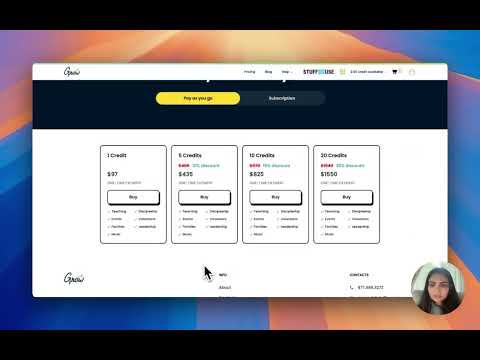 1:18
1:18Grow Marketplace Subscription Plans
Compare monthly and annual credit subscription options.
Watch Tutorial →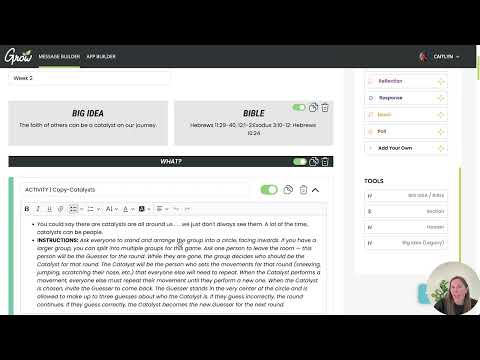 6:37
6:37Grow Lesson Builder Tutorial
A complete overview of the Lesson Builder tool and all its features.
Watch Tutorial → 2:52
2:52How to Get Started with Grow Slides
Set up Grow Slides and get presenting in minutes.
Watch Tutorial →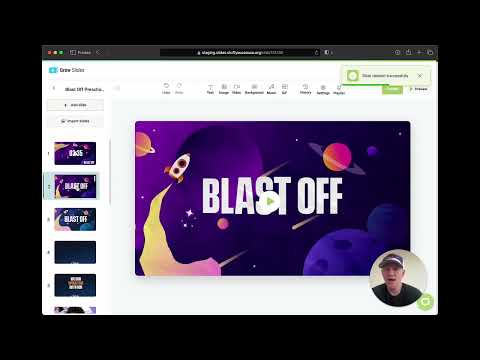 10:10
10:10Grow Slides Tutorial
A full walkthrough of presenting slides during your services.
Watch Tutorial → 9:10
9:10How to Build Slideshows
Build custom slideshows with Slidr from start to finish.
Watch Tutorial → 2:52
2:52Start a Slideshow from Scratch
Create a brand-new slideshow without a template.
Watch Tutorial → 1:23
1:23Grow Slides Settings
Tune your settings so slides behave exactly how you want.
Watch Tutorial → 0:56
0:56How to Share Slideshows and Feeds
Share your slideshows and feeds with the rest of your team.
Watch Tutorial → 1:16
1:16Use YouTube Videos with Apple TV
Play YouTube videos in your slides through Apple TV.
Watch Tutorial → 6:11
6:11Slidr Overview
Everything Slidr can do, in one quick overview.
Watch Tutorial → 2:42
2:42How to Use Feeds in Slidr
Add live feeds to keep your screens fresh automatically.
Watch Tutorial → 11:57
11:57Grow Hubs Overview
The full tour of Hubs — your ministry's communication home base.
Watch Tutorial → 9:35
9:35Grow Hubs Tutorial
Step-by-step walkthrough of setting up and using Grow Hubs.
Watch Tutorial → 3:57
3:57How to Create New Hubs
Spin up a new Hub for any group, team, or ministry.
Watch Tutorial → 6:27
6:27Manage Users in Hubs
Add, remove, and manage the people in your Hubs.
Watch Tutorial → 6:56
6:56Hubs Announcements
Get the word out to volunteers and families with announcements.
Watch Tutorial → 5:04
5:04Hubs Messages
Message people and groups directly inside Hubs.
Watch Tutorial → 9:19
9:19Hubs Calendar Tool
Plan and share events with the built-in calendar.
Watch Tutorial → 1:58
1:58Hubs Notifications
Make sure the right people see the right updates.
Watch Tutorial → 4:16
4:16The Hubs App
Take Hubs with you — a tour of the mobile app.
Watch Tutorial → 14:16
14:16Grow People Overview
Meet Grow People — your ministry's people-management tool.
Watch Tutorial → 6:39
6:39Grow People Dashboard
Navigate the dashboard and find what you need fast.
Watch Tutorial → 8:06
8:06People Database
Keep every family, kid, and volunteer organized in one place.
Watch Tutorial → 6:44
6:44Events in Grow People
Create and manage events for your ministry.
Watch Tutorial → 4:28
4:28Groups in Grow People
Organize people into groups that match your ministry.
Watch Tutorial → 2:46
2:46Ministries in Grow People
Set up ministries and keep them running smoothly.
Watch Tutorial → 13:04
13:04Schedules for Volunteers
Build volunteer schedules people can actually follow.
Watch Tutorial → 2:03
2:03Attendance Matrix
Track attendance patterns at a glance.
Watch Tutorial → 3:28
3:28Broadcast in Grow People
Send broadcast messages to your whole ministry at once.
Watch Tutorial → 4:28
4:28Grow Numbers: Check-In
Fast, simple check-in for kids and volunteers.
Watch Tutorial → 5:32
5:32Grow Numbers: Groups
Track your groups with Grow Numbers.
Watch Tutorial → 4:34
4:34Grow Planning View Tutorial
See your whole year at a glance with Planning View.
Watch Tutorial → 12:46
12:46Align Holidays with Grow Students
Line up Grow Students curriculum with your holiday calendar.
Watch Tutorial → 52:59
52:59Align Holidays with Grow Kids
A deep dive on aligning Grow Kids curriculum with holidays.
Watch Tutorial →